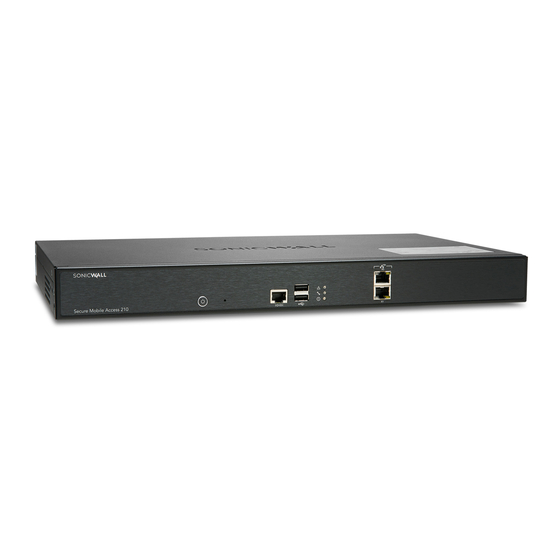
SonicWall SonicWall SMA 210
- The SonicWall SMA 210 is a comprehensive remote access solution that provides secure, easy-to-use VPN connectivity for employees and partners.
Specifications
- OS
- SMA OS
- CPU
- Intel Atom E3815 1.46 GHz
- LAN
- 1 GbE
- RAM
- 4 GB
- USB
- 2x USB 3.0
- VPN
- SSL VPN
- WAN
- 1 GbE
- Ports
- 6x GbE
- Storage
- 64 GB SSD
- LAN Ports
- 4x GbE
- WAN Ports
- 2x GbE
- Management
- Web, CLI
Potential Threats
8 Known CVEs
Default IP
192.168.1.100
Default admin panel address for SonicWall SonicWall SMA 210
Default Credentials — SonicWall SonicWall SMA 210
| Username | Password | Access Type | Protocol | Port | Notes |
|---|---|---|---|---|---|
| web | HTTPS | 443 | |||
| console | console | — |
Known CVE Vulnerabilities (8)
An improper access control vulnerability has been identified in the SonicWall SonicOS management access, potentially leading to unauthorized resource...
A post-authentication remote command injection vulnerability in SonicWall SMA100 allows a remote authenticated attacker to execute OS system commands...
A Heap-based buffer overflow vulnerability in SonicWall SMA100 getBookmarks method allows a remote authenticated attacker to potentially execute code...
An unauthenticated remote attacker can use SMA 100 as an unintended proxy or intermediary undetectable proxy to bypass firewall rules. This vulnerabil...
An unauthenticated and remote adversary can consume all of the device's CPU due to crafted HTTP requests sent to SMA100 /fileshare/sonicfiles/sonicfil...
A relative path traversal vulnerability in the SMA100 upload funtion allows a remote unauthenticated attacker to upload crafted web pages or files as...
Improper neutralization of special elements in the SMA100 management interface '/cgi-bin/viewcert' POST http method allows a remote authenticated atta...
A Stack-based buffer overflow vulnerability in SMA100 Apache httpd server's mod_cgi module environment variables allows a remote unauthenticated attac...
FAQ
The most common default credentials for SonicWall SonicWall SMA 210 are listed in the table above. Always change these immediately after setup.
The default username for SonicWall SonicWall SMA 210 is typically "admin". The full list of default credentials including username, password, access type and port is shown in the table on this page.
Log in to the admin panel using the default credentials listed above. Navigate to Administration → Password or System → Account settings. Enter the current password and set a new strong password. Save the changes.
Locate the Reset button (usually a small pinhole on the back/bottom of the device). Hold it for 10-30 seconds while powered on until the LEDs flash. The device will reboot with default settings.
No. Default credentials are publicly known and frequently exploited by automated scanners. Change the admin password immediately after first login.
SonicWall SonicWall SMA 210 has 8 known CVE vulnerabilities documented in our database. The full list with severity ratings is shown on this page. Apply the latest firmware update from the manufacturer to address known issues.