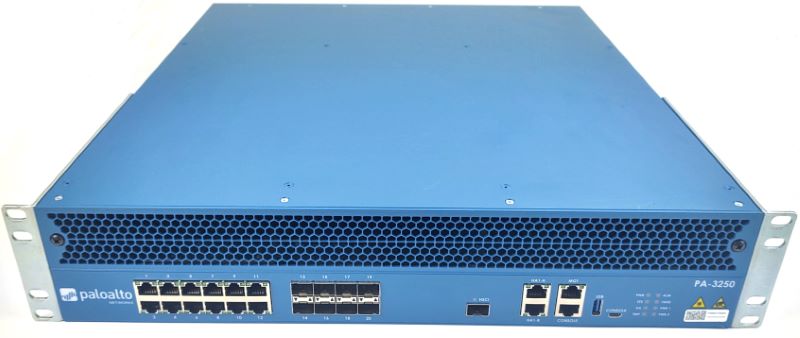
Palo Alto Networks Palo Alto VM-300
- The Palo Alto Networks VM-300 is a virtualized firewall that provides enterprise-grade network security and threat prevention in a compact, easy-to-deploy package.
Specifications
- OS
- PAN-OS
- IDS/IPS
- Yes
- UTM
- 1 Gbps
- VPN
- 780 Mbps
- SD-WAN
- Yes
- Firewall
- Yes
- Sessions
- 6 million
- Management
- PAN-OS, Panorama, Web, CLI, API
- Throughput
- 2 Gbps
- SSL Inspection
- 440 Mbps
Potential Threats
25 Known CVEs
Default IP
192.168.1.50
Default admin panel address for Palo Alto Networks Palo Alto VM-300
Default Credentials — Palo Alto Networks Palo Alto VM-300
Known CVE Vulnerabilities (25)
An issue has been discovered in GitLab CE/EE affecting all versions from 14.1 before 18.1.5, 18.2 before 18.2.5, and 18.3 before 18.3.1 that that unde...
An improper access control vulnerability in the Endpoint Traffic Policy Enforcement https://docs.paloaltonetworks.com/globalprotect/6-0/globalprotect...
An improper neutralization of wildcards vulnerability in the log collection feature of Palo Alto Networks GlobalProtect™ app on macOS allows a non adm...
A command injection vulnerability in Palo Alto Networks PAN-OS® enables an authenticated administrative user to perform actions as the root user. The...
An incorrect privilege assignment vulnerability in Palo Alto Networks Cortex® XDR Broker VM allows an authenticated administrative user to execute cer...
The wpForo + wpForo Advanced Attachments plugin for WordPress is vulnerable to Stored Cross-Site Scripting via media upload names in all versions up t...
The Page Builder: Pagelayer – Drag and Drop website builder plugin for WordPress is vulnerable to Reflected Cross-Site Scripting via the ‘login_url’ p...
The Animated Buttons plugin for WordPress is vulnerable to Stored Cross-Site Scripting via the plugin's 'auto-downloader' shortcode in all versions up...
The DPEPress plugin for WordPress is vulnerable to Stored Cross-Site Scripting via the plugin's 'dpe' shortcode in all versions up to, and including,...
The Xavin's List Subpages plugin for WordPress is vulnerable to Stored Cross-Site Scripting via the plugin's 'xls' shortcode in all versions up t...
Showing 10 of 25
FAQ
The most common default credentials for Palo Alto Networks Palo Alto VM-300 are listed in the table above. Always change these immediately after setup.
The default username for Palo Alto Networks Palo Alto VM-300 is typically "admin". The full list of default credentials including username, password, access type and port is shown in the table on this page.
Log in to the admin panel using the default credentials listed above. Navigate to Administration → Password or System → Account settings. Enter the current password and set a new strong password. Save the changes.
Locate the Reset button (usually a small pinhole on the back/bottom of the device). Hold it for 10-30 seconds while powered on until the LEDs flash. The device will reboot with default settings.
No. Default credentials are publicly known and frequently exploited by automated scanners. Change the admin password immediately after first login.
Palo Alto Networks Palo Alto VM-300 has 25 known CVE vulnerabilities documented in our database. The full list with severity ratings is shown on this page. Apply the latest firmware update from the manufacturer to address known issues.