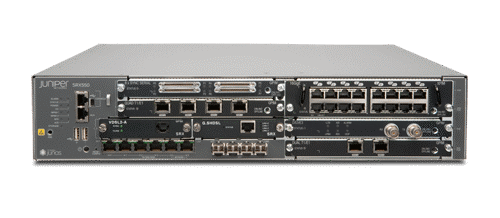
Juniper Networks SRX300
Juniper SRX300 Services Gateway for small branch offices.
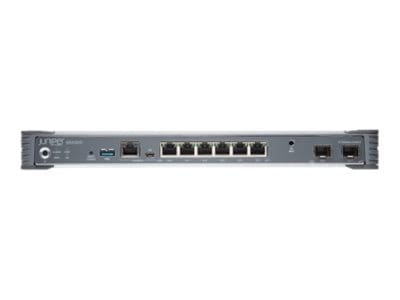
Specifications
- RAM
- 4 GB
- VPN
- IPSec, SSL
- Ports
- 6x Gigabit + 2x SFP
- Throughput
- 1 Gbps
Potential Threats
116 Known CVEs
Default IP
192.168.1.1
Default admin panel address for Juniper Networks SRX300
Default Credentials — Juniper Networks SRX300
| Username | Password | Access Type | Protocol | Port | Notes |
|---|---|---|---|---|---|
| (blank) | console | Console | — |
Known CVE Vulnerabilities (116)
An Unchecked Return Value vulnerability in the DNS module of Juniper Networks Junos OS on SRX Series allows an unauthenticated, network-based attacker...
A Double Free vulnerability in the flow processing daemon (flowd) of Juniper Networks Junos OS on SRX and MX Series allows an unauthenticated, network...
An Improper Validation of Syntactic Correctness of Input vulnerability in the Web-Filtering module of Juniper Networks Junos OS on SRX Series allows a...
An Improper Locking vulnerability in the GTP plugin of Juniper Networks Junos OS on SRX Series allows an unauthenticated, network-based attacker to ca...
An Improper Handling of Exceptional Conditions vulnerability in the packet forwarding engine (PFE) of Juniper Networks Junos OS on SRX Series allows a...
A Loop with Unreachable Exit Condition ('Infinite Loop') vulnerability in the SIP application layer gateway (ALG) of Juniper Networks Junos OS on SRX...
A NULL Pointer Dereference vulnerability in the chassis daemon (chassisd) of Juniper Networks Junos OS on MX, SRX and EX Series allows a local attacke...
A Missing Authorization vulnerability in the Juniper Networks Junos Space Security Director allows an unauthenticated network-based attacker to read o...
A Buffer Copy without Checking Size of Input vulnerability in the Session Initialization Protocol (SIP) ALG of Juniper Networks Junos OS on MX Serie...
An Incorrect Authorization vulnerability in the web server of Juniper Networks Junos OS on SRX Series allows an unauthenticated, network-based attacke...
Showing 10 of 116
FAQ
The most common default credentials for Juniper Networks SRX300 are listed in the table above. Always change these immediately after setup.
The default username for Juniper Networks SRX300 is typically "admin". The full list of default credentials including username, password, access type and port is shown in the table on this page.
Log in to the admin panel using the default credentials listed above. Navigate to Administration → Password or System → Account settings. Enter the current password and set a new strong password. Save the changes.
Locate the Reset button (usually a small pinhole on the back/bottom of the device). Hold it for 10-30 seconds while powered on until the LEDs flash. The device will reboot with default settings.
No. Default credentials are publicly known and frequently exploited by automated scanners. Change the admin password immediately after first login.
Juniper Networks SRX300 has 116 known CVE vulnerabilities documented in our database. The full list with severity ratings is shown on this page. Apply the latest firmware update from the manufacturer to address known issues.