Cisco Cisco RV345P
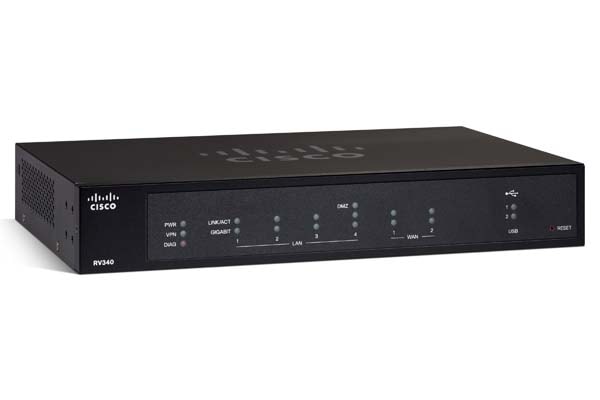
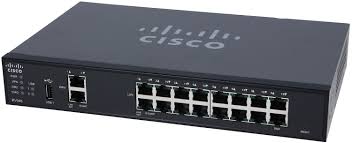
- The Cisco RV345P is a compact, high-performance router designed for small to medium-sized businesses and home offices.
Specifications
- OS
- Cisco RV Series Firmware
- CPU
- Dual-core
- IDS/IPS
- Yes
- LAN
- Gigabit Ethernet
- PoE
- Yes
- QoS
- Yes
- RAM
- 512 MB
- USB
- 1x USB 3.0
- UTM
- No
- VPN
- IPsec/PPTP/L2TP/OpenVPN
- WAN
- Gigabit Ethernet
- Flash
- 32 MB
- Ports
- 1x USB 3.0
- VLANs
- 30
- SD-WAN
- No
- PoE Out
- 802.3af/at
- Firewall
- Yes
- Sessions
- 900,000
- LAN Ports
- 16x GE
- Max VLANs
- 30
- PoE Ports
- 16
- VPN Peers
- 50
- WAN Ports
- 2x GE
- Management
- Web UI
- PoE Budget
- 120 W
- SSL Inspection
- No
Potential Threats
25 Known CVEs
Default IP
192.168.1.1
Default admin panel address for Cisco Cisco RV345P
Default Credentials — Cisco Cisco RV345P
Known CVE Vulnerabilities (25)
In validateForCommonR1andR2 of PasspointConfiguration.java, uncaught errors in parsing stored configs could lead to local persistent denial of service...
In pinReplyNative of com_android_bluetooth_btservice_AdapterService.cpp, there is a possible out of bounds read due to type confusion. This could lead...
In TBD of TBD, there is a possible out of bounds write due to memory corruption. This could lead to local escalation of privilege with System executio...
In ppmp_unprotect_mfcfw_buf of drm_fw.c, there is a possible out of bounds write due to improper input validation. This could lead to local escalation...
In read_ppmpu_info of drm_fw.c, there is a possible out of bounds read due to an incorrect bounds check. This could lead to local information disclosu...
In thermal_cooling_device_stats_update of thermal_sysfs.c, there is a possible out of bounds write due to improper input validation. This could lead t...
In registerReceivers of DeviceCapabilityListener.java, there is a possible way to change preferred TTY mode due to a permissions bypass. This could le...
In registerBroadcastReceiver of RcsService.java, there is a possible way to change preferred TTY mode due to a missing permission check. This could le...
In enforceVisualVoicemailPackage of PhoneInterfaceManager.java, there is a possible leak of visual voicemail package name due to a permissions bypass....
In compose of Vibrator.cpp, there is a possible arbitrary code execution due to a use after free. This could lead to local escalation of privilege wit...
Showing 10 of 25
FAQ
The most common default credentials for Cisco Cisco RV345P are listed in the table above. Always change these immediately after setup.
The default username for Cisco Cisco RV345P is typically "admin". The full list of default credentials including username, password, access type and port is shown in the table on this page.
Log in to the admin panel using the default credentials listed above. Navigate to Administration → Password or System → Account settings. Enter the current password and set a new strong password. Save the changes.
Locate the Reset button (usually a small pinhole on the back/bottom of the device). Hold it for 10-30 seconds while powered on until the LEDs flash. The device will reboot with default settings.
No. Default credentials are publicly known and frequently exploited by automated scanners. Change the admin password immediately after first login.
The default admin login address for Cisco Cisco RV345P is shown in the "Default IP" field above. Most routers use 192.168.1.1 or 192.168.0.1. Open a browser on a device connected to the router and navigate to that IP.
Log in to the router admin panel at the default IP address. Go to Wireless or Wi-Fi settings. Find the WPA2/WPA3 passphrase field and update it. Save and reconnect your devices.
Change the default admin password and Wi-Fi password immediately. Disable WPS (Wi-Fi Protected Setup) — it is vulnerable to brute-force attacks. Enable WPA3 encryption if supported. Turn off remote management unless needed. Keep firmware updated.
Cisco Cisco RV345P has 25 known CVE vulnerabilities documented in our database. The full list with severity ratings is shown on this page. Apply the latest firmware update from the manufacturer to address known issues.