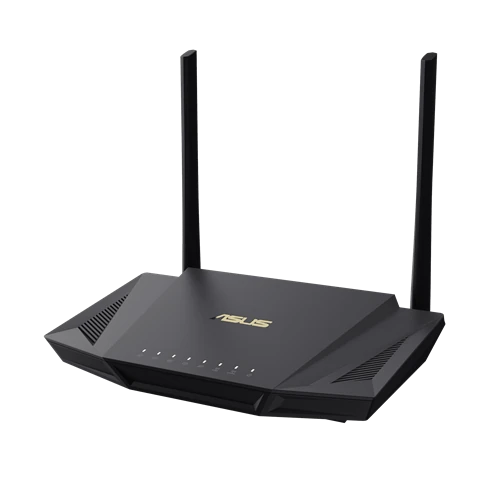
Asus ASUS RT-AX56U
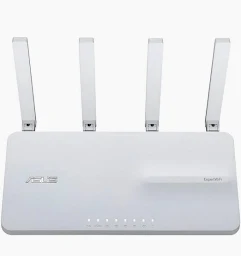
- The ASUS RT-AX56U is a high-performance router that supports Wi-Fi 6 and features advanced security and parental controls.
Specifications
- OS
- AsusWRT
- CPU
- 1.5 GHz tri-core
- LAN
- Gigabit Ethernet
- QoS
- Yes
- RAM
- 512 MB
- USB
- 1x USB 3.2 Gen 1
- VPN
- Yes
- WAN
- Gigabit Ethernet
- Mode
- Router, Access Point, Repeater, Media Bridge, AiMesh
- Wi-Fi
- Wi‑Fi 6 (802.11ax)
- Bands
- Dual-band
- Flash
- 256 MB
- Ports
- 1x GE WAN, 4x GE LAN, 1x USB 3.2 Gen 1
- Antenna
- External
- MU-MIMO
- Yes
- Antennas
- 2
- Firewall
- Yes
- LAN Ports
- 4x GE
- WAN Ports
- 1x GE
- Management
- Web UI, ASUS Router app
Potential Threats
6 Known CVEs
Default IP
192.168.50.1
Default admin panel address for Asus ASUS RT-AX56U
Default Credentials — Asus ASUS RT-AX56U
Known CVE Vulnerabilities (6)
ASUS RT-AX55’s authentication-related function has a vulnerability of insufficient filtering of special characters within its check token module. An a...
ASUS RT-AX55’s authentication-related function has a vulnerability of insufficient filtering of special characters within its token-refresh module. An...
ASUS RT-AX55’s authentication-related function has a vulnerability of insufficient filtering of special characters within its token-generated module....
It is identified a format string vulnerability in ASUS RT-AX56U V2’s iperf client function API. This vulnerability is caused by lacking validation fo...
It is identified a format string vulnerability in ASUS RT-AX56U V2’s General function API. This vulnerability is caused by lacking validation for a s...
It is identified a format string vulnerability in ASUS RT-AX56U V2. This vulnerability is caused by lacking validation for a specific value within it...
FAQ
The most common default credentials for Asus ASUS RT-AX56U are listed in the table above. Always change these immediately after setup.
The default username for Asus ASUS RT-AX56U is typically "admin". The full list of default credentials including username, password, access type and port is shown in the table on this page.
Log in to the admin panel using the default credentials listed above. Navigate to Administration → Password or System → Account settings. Enter the current password and set a new strong password. Save the changes.
Locate the Reset button (usually a small pinhole on the back/bottom of the device). Hold it for 10-30 seconds while powered on until the LEDs flash. The device will reboot with default settings.
No. Default credentials are publicly known and frequently exploited by automated scanners. Change the admin password immediately after first login.
The default admin login address for Asus ASUS RT-AX56U is shown in the "Default IP" field above. Most routers use 192.168.1.1 or 192.168.0.1. Open a browser on a device connected to the router and navigate to that IP.
Log in to the router admin panel at the default IP address. Go to Wireless or Wi-Fi settings. Find the WPA2/WPA3 passphrase field and update it. Save and reconnect your devices.
Change the default admin password and Wi-Fi password immediately. Disable WPS (Wi-Fi Protected Setup) — it is vulnerable to brute-force attacks. Enable WPA3 encryption if supported. Turn off remote management unless needed. Keep firmware updated.
Asus ASUS RT-AX56U has 6 known CVE vulnerabilities documented in our database. The full list with severity ratings is shown on this page. Apply the latest firmware update from the manufacturer to address known issues.